Reader supported. We may earn a commission from purchases.

LG UltraGear 27GR95QE-B Review: The 240 Hz WOLED That Started the Movement

10 min read 4.6 / 5
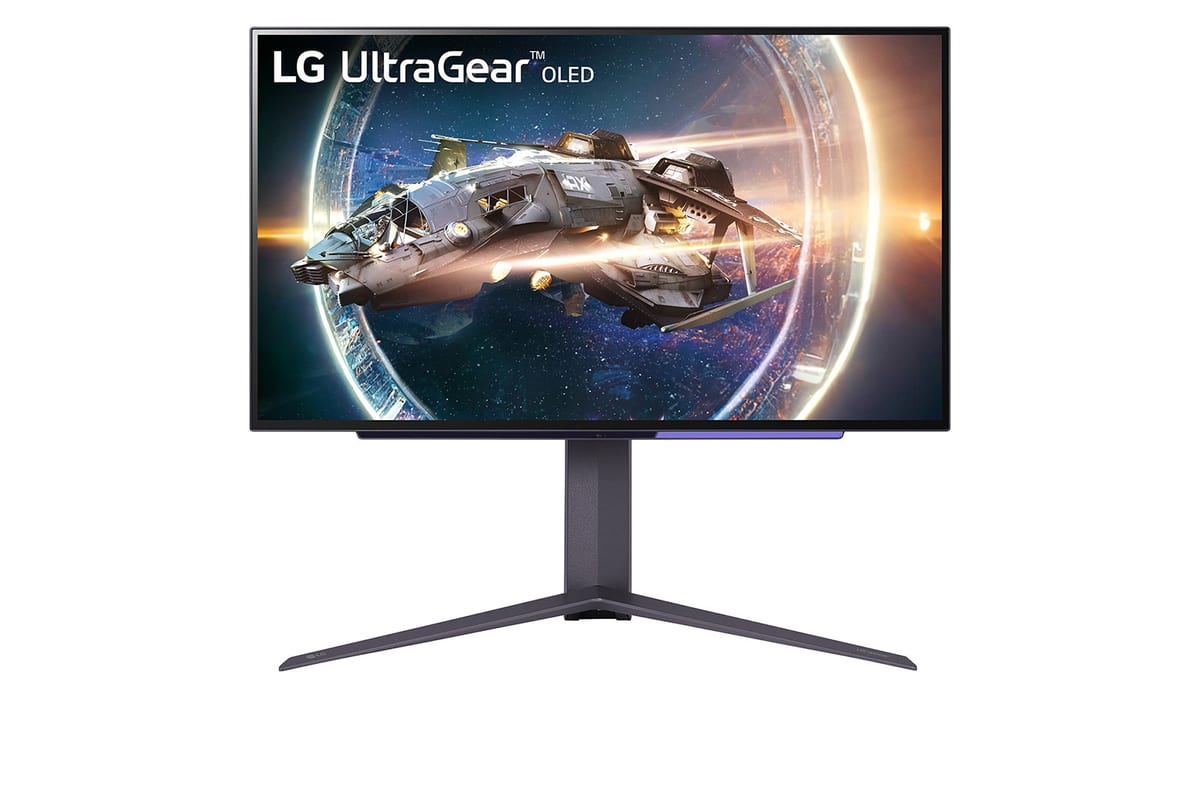
LG UltraGear 27GR95QE-B 27 inch WOLED gaming monitor displaying a vivid landscape

Quick Verdict

Best feature

27 inch 1440p WOLED with 0.03 ms response and 240 Hz refresh in a flat panel

Who it's for

Competitive players who want OLED motion clarity without a curved ultrawide footprint

Bottom line

The flat 27 inch OLED that proved the format works for esports.

Current price

$699

Check Price on Amazon

How It Compares

The LG UltraGear 27GR95QE-B measured against its two closest market rivals on the specs that matter most.

SpecificationLG UltraGear 27GR95QE-BASUS ROG Swift OLED PG27AQDMAlienware AW2725DF
Panel type27 inch WOLED27 inch WOLED27 inch QD-OLED
Resolution2560 x 14402560 x 14402560 x 1440
Refresh rate240 Hz240 Hz360 Hz
Response time0.03 ms GtG0.03 ms GtG0.03 ms GtG
HDRVESA DisplayHDR 400 True BlackDisplayHDR 400 True BlackDisplayHDR 400 True Black
CurvatureFlatFlatFlat
Price$699$799$899

Deep Dive Analysis

Build Quality and Ergonomics

The 27GR95QE keeps to LG's understated UltraGear chassis: a slim black bezel, a v shaped metallic stand with cable pass through, and a hexagonal RGB ring on the back that you will almost never see. The stand offers full tilt, swivel, height, and pivot adjustment with no wobble, and a 100 x 100 VESA mount is ready for arms. Inputs cover two HDMI 2.1, one DisplayPort 1.4, a USB-C with 65 W power delivery (display only on this revision), and a small USB hub. Build quality is solidly premium without crossing into the flashy gaming aesthetic.

Performance and Latency

The WOLED panel delivers the things OLED is bought for: a true zero black level, near instant 0.03 ms pixel response, and an HDR experience that makes IPS look washed out. Motion clarity at 240 Hz with sample and hold OLED is the equal of a 360 Hz IPS for the vast majority of eyes, and the lack of any noticeable input lag makes the panel a genuine competitive option. Peak brightness is the well known WOLED weakness: 200 nits full screen and roughly 700 nits on a 3 percent window, which is fine in a controlled lighting room and visibly dim in a bright open space.

Software and Customization

LG's OnScreen Control desktop app handles picture mode switching, custom calibration, and PiP layouts without forcing you into the rear joystick menu. The built in Black Stabilizer is well tuned and the Crosshair overlay covers the usual handful of styles. Pixel refresh runs automatically every four hours of off time, and the screen logs both pixel cleaning and panel refresh cycles so you can track burn in mitigation. The standard three year warranty includes burn in coverage, which removes the largest remaining anxiety around buying an OLED for desktop use.

What we love

  • True OLED contrast and 0.03 ms response time in a flat 27 inch esports friendly footprint
  • 240 Hz refresh paired with HDR400 True Black makes for the most balanced single monitor in the category
  • Three year warranty with explicit burn in coverage is a major peace of mind upgrade over earlier WOLED panels

Real drawbacks

  • Peak brightness is low for HDR content in bright rooms, especially compared to QD-OLED rivals
  • USB-C is display only on this revision, with no upstream data lane for a single cable laptop setup

Top Questions

WOLED versus QD-OLED, which should I buy for a competitive setup?

Both panels are excellent. WOLED has the cleaner text rendering for desktop work and slightly better off angle uniformity in bright scenes. QD-OLED has noticeably higher colour volume and a brighter HDR experience but exposes a faint subpixel fringe on small text in some users' eyes. For mixed competitive and desktop use the 27GR95QE is the safer pick, and it costs less than a comparable QD-OLED.

Should I worry about OLED burn in for a desktop monitor?

Less than you used to. LG's pixel refresh cycles, automatic logo dimming, and three year burn in warranty mitigate most realistic risk for mixed use desktops. Players who park the same HUD on screen for 12 hours a day for years on end can still see eventual wear. Vary the wallpaper, hide the taskbar, and let the panel run its scheduled refresh cycles to keep things in good shape.

Is the 27GR95QE bright enough for an HDR experience?

For dark room HDR yes, easily. For a bright open plan office or a sunlit room the 200 nit full screen ceiling will feel dim and HDR highlights will not punch the way they do on a QD-OLED or a Mini LED panel. If your setup gets a lot of direct sunlight, consider a QD-OLED or the brighter Mini LED options in this price range.

Ready to upgrade to the LG UltraGear 27GR95QE-B?

The flat 27 inch OLED that proved the format works for esports.

As an Amazon Associate we earn from qualifying purchases. Prices and availability are accurate at the time of writing and subject to change. Editorial independence: no manufacturer reviewed this article before publication.