Reader supported. We may earn a commission from purchases.

Alienware AW3225QF Review: The 4K 240Hz QD-OLED That Does It All

12 min read 4.8 / 5
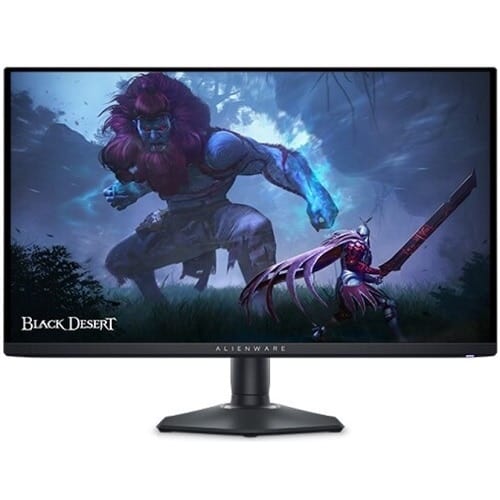
Alienware AW3225QF 32 inch 4K curved QD-OLED gaming monitor on a clean desk setup

Quick Verdict

Best feature

32 inch 4K QD-OLED at 240Hz with the gentle 1700R curve that does not distort productivity

Who it's for

Players who want a single monitor for ranked play, single player titles, and creative work

Bottom line

If you have the GPU for it, this is the most complete gaming monitor money can buy in 2026.

Current price

$1199

Check Price on Amazon

How It Compares

The Alienware AW3225QF measured against its two closest market rivals on the specs that matter most.

SpecificationAW3225QFLG 32GS95UE-BSamsung Odyssey OLED G8 G80SD
Panel32 inch QD-OLED (Samsung Gen 3)32 inch WOLED Dual Mode32 inch QD-OLED Gen 3
Resolution3840 x 21603840 x 21603840 x 2160
Refresh rate240 Hz240 Hz / 480 Hz at 1080p240 Hz
Curve1700RFlatFlat
HDRDolby Vision, HDR True Black 400True Black 400True Black 400
Inputs2x HDMI 2.1, DP 1.4, USB-C 90W2x HDMI 2.1, DP 1.41x HDMI 2.1, DP 1.4, USB-C
Price$1199$1299$1299

Deep Dive Analysis

Build Quality and Ergonomics

Alienware kept the AW3225QF understated. The Lunar Light white finish does not yellow under UV, the back panel hides the ports behind a removable cover, and the stand offers full tilt, swivel, and 110 mm of height adjustment with VESA 100 in case you mount it. The 1700R curve is gentle enough that vertical lines stay reasonably straight for word processing and spreadsheets, which the more aggressive 800R panels cannot match. A USB-C input handles 90 watts of power delivery, which means a single cable runs a docked laptop with charging.

Performance and Latency

Samsung's third generation QD-OLED panel is the headline. 4K at 240 Hz with 0.03 ms grey to grey response means motion clarity rivals the best 1440p OLEDs at half again the pixel count. Input lag measures 2.8 ms in Console Mode and 3.4 ms in standard. Dolby Vision HDR is a genuine differentiator here: this is the first 4K 240 Hz gaming monitor to support it, and the Dolby Vision Gaming mode in titles like Diablo IV and Alan Wake 2 is striking. SDR peak hits 250 nits full screen and roughly 1000 nits in small highlights, on par with the rest of the QD-OLED class.

Software and Customization

The OSD is navigated with a joystick and a dedicated quick menu button on the back right. Alienware Command Center on Windows lets you build per game profiles, set automatic pixel refresh schedules, and toggle the Console Mode latency reduction. There is no in panel scaler for 1080p modes, so Console Mode is the right setting for PS5 and Xbox Series X play. The three year burn in warranty is honoured globally and includes a no questions asked panel replacement.

Real World Use

For competitive play, 4K at 240 Hz needs an RTX 4080 Super or better with DLSS Quality to keep frame rates above the refresh rate ceiling in modern shooters. On lower hardware you can run the panel in 1440p mode with no loss of clarity thanks to integer scaling. Single player and HDR content is where the AW3225QF shows its full hand: Cyberpunk 2077 in Dolby Vision with path tracing is one of the most striking visual presentations available on PC today.

What we love

  • Samsung Gen 3 QD-OLED at 4K 240Hz delivers the cleanest motion clarity at this resolution to date
  • Dolby Vision HDR support is unique in the 4K 240Hz gaming monitor category
  • USB-C 90W input handles a docked laptop on a single cable, which is rare on gaming monitors

Real drawbacks

  • Driving 4K at 240Hz needs a top end GPU, so mid range systems will rely on DLSS or 1440p downscaling
  • 1700R curve, while gentle, can still introduce a subtle bowing artefact in CAD and pixel art work

Top Questions

Do I need an RTX 4090 to enjoy the AW3225QF?

No, but you need at least an RTX 4070 Super or RX 7900 GRE for native 4K 60 plus in current AAA games. For competitive titles like Counter Strike 2 and Valorant, a 4070 will sit above 240 frames per second comfortably. DLSS Quality or FSR Quality keeps demanding single player games above 100 frames on the mid range tier.

Is the curve distracting for productivity?

At 1700R the curve is barely noticeable for typing, code, and web browsing. Pixel art and architectural drafting are the two use cases where the curve introduces a visible bow, but for the vast majority of buyers it is invisible after the first day.

How does it compare to the new 32 inch Samsung Odyssey OLED G8?

Both use the same Gen 3 QD-OLED panel. Alienware adds Dolby Vision HDR, a useful USB-C 90W input, and the three year burn in warranty. Samsung is flat instead of curved and includes Tizen smart features. For gaming the Alienware is the better feature set, and for media consumption Samsung's smart hub is a nice extra.

Ready to upgrade to the Alienware AW3225QF?

If you have the GPU for it, this is the most complete gaming monitor money can buy in 2026.

As an Amazon Associate we earn from qualifying purchases. Prices and availability are accurate at the time of writing and subject to change. Editorial independence: no manufacturer reviewed this article before publication.